Order walkthrough
Portfolio backlink order, screen by screen, for a writer on a budget
Five stages from empty basket to live link. The text below follows the same order as the buttons you will click.
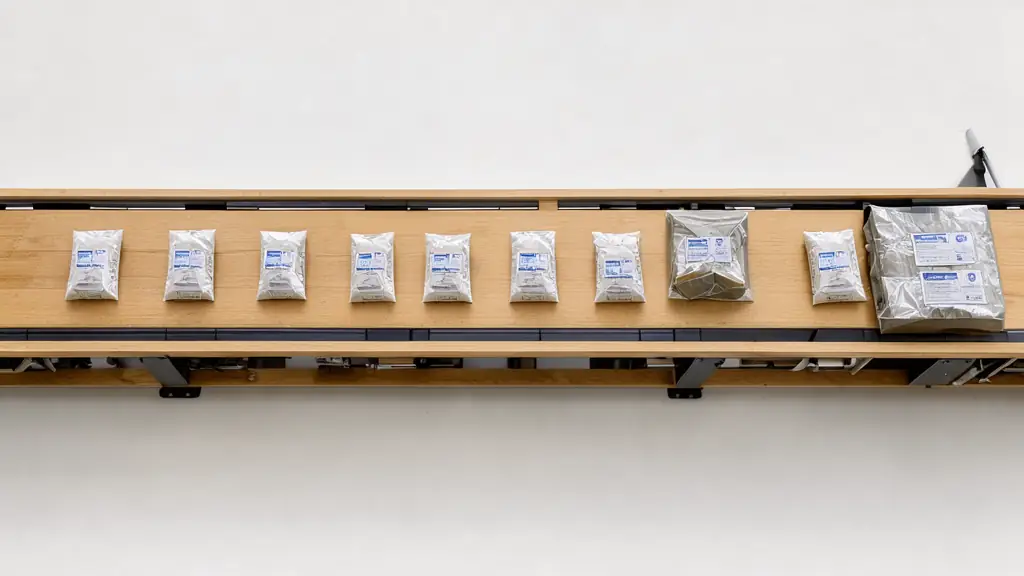
The order, as a writer would run it
- 1
1. Open the marketplace and set the filters
Log in and open the link finder. Start with niche, then language, then a price ceiling. Domain Rating and organic traffic come last, as sorting aids, because a donor in your subject with modest numbers often beats a famous site about something else.
- 2
2. Read each row like a job posting
Every row shows Domain Rating, organic traffic, referring domains, niche, language and price. Read them the way you read a gig listing: who is the audience, what does it pay, does it fit. Skip anything that would embarrass you if a client clicked through.
- 3
3. Add to the basket
Adding costs nothing. Put in six, keep three. The basket total updates as you go, which makes it a good place to test your spending ceiling.
- 4
4. Choose the content mode for each order
Automatic mode needs a target URL and a keyword, and the article is written for you with one clean link to your page. The second mode takes your own prompt or instructions. The third takes your own finished article, which suits writers who want every phrase to be theirs.
- 5
5. Pay, then track
Top up your balance in the dashboard, pay the basket, and watch the ordered links list. Placements usually go live within about 24 hours, and each has a status.
Orders can also come through a REST API with a Bearer key, or through AI agents over MCP in ChatGPT or Claude. An agent can read donors and fill a basket. Paying the basket stays a separate step that a human approves, and balance top-ups happen in the dashboard, not by API.

Writing your own article for the placement
Most freelancers who buy a link pick the own-article mode at least once. Fair enough.
A good placement text reads like something a donor site's editor would run anyway: a useful paragraph or two on a subject near yours, with one link to the target URL and no stuffing. Aim for the length of a short blog post, and avoid repeating your anchor phrase.
If you prefer automatic mode, give it a precise keyword and a target URL that actually mentions the topic. The page can only support what it contains. Simple, but often missed. For help choosing the URL, the decision tree takes about ten minutes.
Judging a donor row without trusting its own praise
A portfolio backlink is only as good as the page that holds it. Before you add a row, look at the donor the way a reader would, and treat the seller's own praise as a claim rather than a fact.
Most rows look fine on a list. The trouble shows up once you open the page, so budget a few minutes for that step on every candidate.
Read the niche before the numbers
Niche and language are the first filters for a reason. A donor in your subject with modest numbers often serves a clips page better than a famous site about something else.
Ask one question of each row: would you be comfortable if a client clicked through from it? If the answer is no, drop the row, whatever its score.
Treat the praise as the seller's own voice
If a donor's own page says its readers adore it, you have heard the seller, not the readers. Weigh that line the way you would weigh a writer's self-description: useful as a lead, weak as proof.
Reviews that come from outside the site carry more weight. Where none exist, buy less, and keep the basket short until you have looked at the pages themselves.
Open the donor page before you add the row
Look at the page as a reader. Is it a real article with a point and headings, or a list of links with a logo above it? Ten seconds of looking often settles the question better than any score.
Note the donor's language and whether its articles match the topic of your portfolio. Those two checks take less time than the basket total, and they catch most mistakes early.
Pricing a row against what it does for you
Price scales with donor authority, traffic and niche, so the cheapest row on the list is not automatically the best buy. The question is what the money buys you on the page that receives the link.
A small budget makes this harder, because every row feels expensive. Keep the total in view, and let the cost of each row answer to a purpose rather than to a bargain.
Why the cheapest row is not the default
Say you compare a row at the cheap end with one that costs several times as much. The cheap row can still be the right choice if its niche fits your subject exactly and the page reads well.
A low price on a weak fit is a poor purchase. A slightly higher price on a close fit usually serves the clips page better, because the reader who arrives already wants the subject.
What a higher price should buy you
A higher price should buy a donor with more authority, more traffic or a closer niche. If the extra money buys none of those, the row is overpriced for what you need.
Check that against the row's own columns, not against your sense of what a writer should pay. The figures are on the row, and the comparison takes a minute.
Asking what the link is worth to a client
Some writers ask whether a client would pay for the link. Usually a client pays for the page, and the link is only a route to it. Keep the cost of a row small beside the value of one good enquiry.
If a client reimburses the cost, ask for a proforma invoice first. That keeps the paperwork in step with the decision, and it avoids a scramble when the invoice is needed.
Automatic articles and what a donor reader sees
Writers often ask whether AI-written material gets penalised. The short answer is that Google's own guidance is about helpfulness, not about the tool that produced the text. The tool is not the test.
So the content mode matters less than the paragraph itself. An automatic article is a fair choice when its text would survive a human editor's read.
Does an automatic article look machine-made?
An automatic article can read as generic if the keyword is broad and the target page is vague. A precise keyword and a target page that really covers the topic give the writer more to work with.
Google's spam policies target scaled content made to manipulate rankings. A single well-chosen article on a relevant donor is a different thing from a flood of thin pages, and the difference is in the reading.
Keep the placement useful to a reader
Aim for a paragraph or two on a subject near yours, with one link that fits the sentence around it. If the link would look out of place to a human editor, drop the row before you pay.
Read the finished article once before the placement goes live if you chose your own text. Small edits at that stage are cheaper than any clean-up later.

The first two weeks after payment
Payment is not the end of the order. The first two weeks tell you whether the placement was delivered as bought, and they set up the record you will need later.
Keep the checks simple and dated. A fair start is more useful than an elaborate dashboard that you will stop opening by the second week.
Days one to three: confirm the placement
Check the ordered links list for the status, and open the donor page once the row shows live. Confirm the link is there, that it points at the URL you chose, and that the anchor reads the way you expected.
Save the donor URL and the date beside the target page. A short line in a plain file is enough, and it will save you from guessing later.
Weeks two to four: watch, do not chase
Read the target page's search figures over matching windows, and note any change without drawing a conclusion from it. A movement this early is weak evidence in either direction.
If a placement has not appeared after the expected window, write down what you saw and when, then wait for the next check. Ordering again straight away adds to the mess rather than fixing it.
Before you press pay
- The target URL opens without a login and shows your clips.
- Every row in the basket is in a niche you could defend to a client.
- The basket total is at or below the number you wrote down earlier.
- You chose a content mode on purpose, not by default.
- You saved a baseline count of referring domains for the target page.
Order questions from freelancers
Is any money taken when I add rows to the basket?
No. Adding rows is free and so is removing them. Money moves only when you pay the basket from your dashboard balance, which you top up beforehand. Use the empty-basket stage to compare options and test totals without risk.
Where do I see whether the link went live?
In your ordered links list, where each placement carries a status. Most go live about 24 hours after payment. Open the live page yourself (the hundred-dollar month has a routine) and confirm the link points at the URL you chose, then record the date.
Can my client pay for the link instead of me?
Invoices and proforma invoices are available, which helps when a client reimburses your costs or approves the spend first. Ask for a proforma before topping up if the client needs paperwork in advance.
Do I need a developer to use the API?
Only if you want to automate orders. The marketplace works fine in the browser, which is how most writers will start. API and agent routes exist for people who run many sites or want a bot to prepare baskets.
